 TypeScript
 JavaScript
 React JS
 API
 Azure
Overview
Study with PAO is an AI-Powered innovation designed to revolutionize how students interact with their learning materials. The platform leverages cutting-edge artificial intelligence to help students study more effectively, engage deeply with their content, and prepare confidently for any form of examination.
Whether you're preparing for university exams, professional certifications, or standardized tests, PAO adapts to your learning style and provides personalized study experiences that maximize retention and understanding.
The Problem
Traditional studying methods often fall short:
- Passive reading leads to low retention rates
- No instant feedback on understanding
- Difficulty identifying knowledge gaps
- One-size-fits-all approach doesn't work for everyone
- Students spend hours without knowing if they're actually learning
The Solution
Study with PAO tackles these challenges head-on with an intelligent study companion that:
- Analyzes your materials — Upload documents, notes, or textbooks and PAO breaks them down into digestible concepts
- Generates smart questions — AI creates practice questions tailored to your content, testing understanding at multiple difficulty levels
- Tracks your progress — Visual dashboards show exactly where you stand and what needs more attention
- Adapts to you — The more you use PAO, the better it understands your learning patterns and adjusts accordingly
Key Features
📚 Smart Document Processing
Upload any study material — PDFs, documents, images of notes — and PAO's AI engine extracts key concepts, definitions, and relationships. The system creates a structured knowledge graph from your materials, making it easy to navigate complex topics.
🧠 AI-Powered Question Generation
PAO doesn't just quiz you with simple recall questions. It generates:
- Multiple choice questions with intelligent distractors
- Short answer prompts that test deeper understanding
- Scenario-based questions that assess application of knowledge
- Progressive difficulty that scales with your mastery level
📊 Analytics & Progress Tracking
The comprehensive dashboard provides real-time insights into your study journey:
- Subject mastery percentages
- Study time analytics
- Weak area identification
- Performance trends over time
- Recommended focus areas
🎯 Personalized Study Plans
Based on your performance data, PAO creates customized study schedules that:
- Prioritize weak areas while reinforcing strengths
- Use spaced repetition for optimal memory retention
- Adapt daily based on your progress
- Account for your available study time
🌙 Dark Mode & Accessibility
Designed for comfort during late-night study sessions with a beautiful dark mode interface. The UI is fully responsive and accessible, ensuring a great experience across all devices.
Technical Architecture
Frontend
The frontend is built with React 18 and TypeScript, utilizing Vite for lightning-fast builds and hot module replacement. The UI is crafted with a custom design system built on top of Tailwind CSS and shadcn/ui components.
Key frontend technologies:
- React 18 with hooks and concurrent features
- TypeScript for type-safe development
- Tailwind CSS for utility-first styling
- Framer Motion for smooth animations
- React Query for server state management
- React Router for client-side routing
Backend & AI
The backend infrastructure powers the AI capabilities:
- Azure OpenAI for natural language processing
- Azure Cognitive Services for document analysis
- RESTful API architecture with comprehensive error handling
- Redis for caching and session management
Cloud Infrastructure
- Deployed on Azure cloud services
- CDN for global content delivery
- Auto-scaling to handle traffic spikes during exam seasons
- 99.9% uptime SLA
Screenshots
Home Page & Dashboard
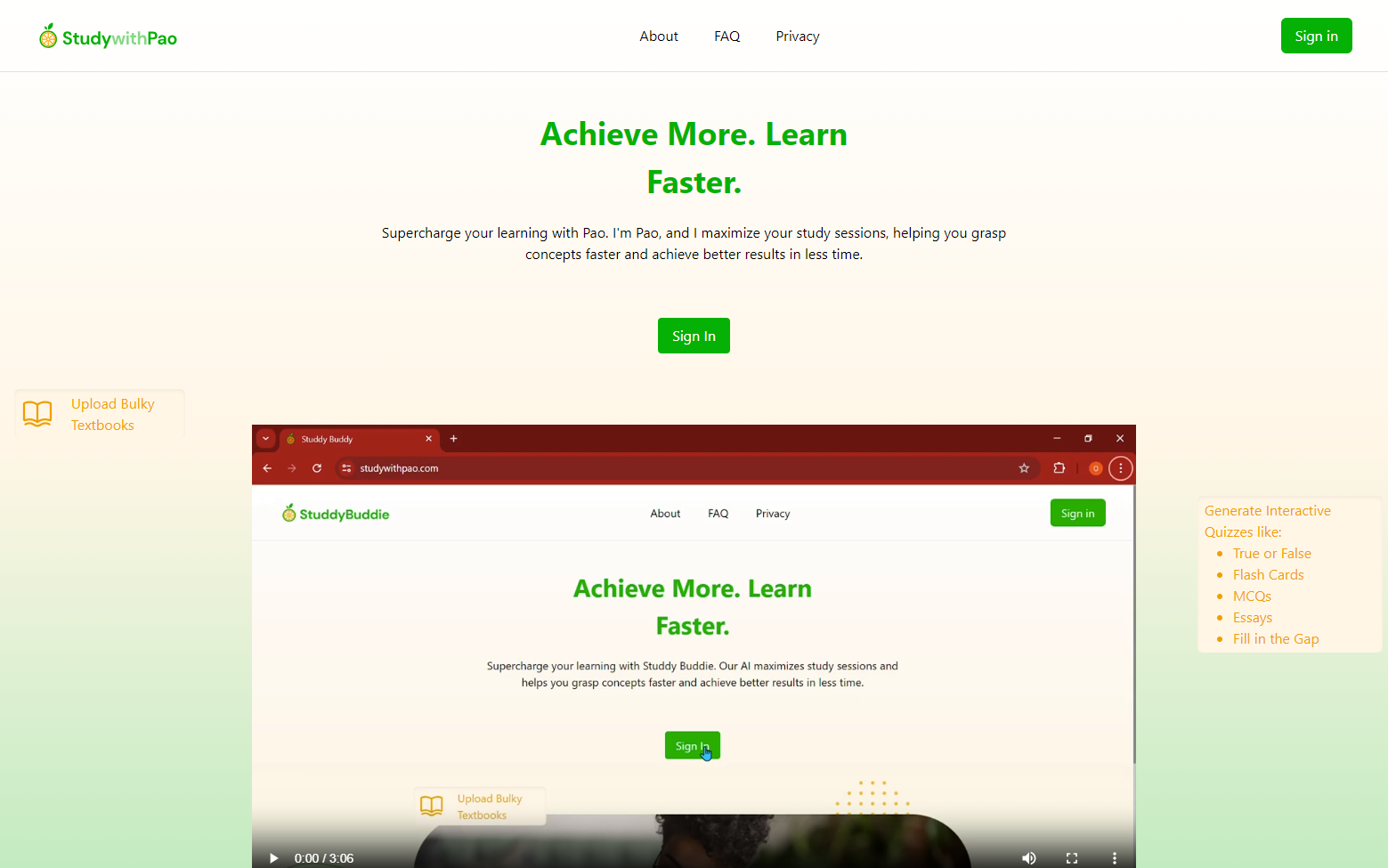
The landing page greets users with a clean, modern interface. The gradient design draws attention to the core value proposition while the dashboard provides an immediate overview of study progress.
Study Materials Upload
The upload interface supports drag-and-drop functionality with real-time processing status. Users can upload multiple files simultaneously and track the AI processing in real-time.
AI Question Generator
The question generation interface allows users to customize difficulty levels, question types, and topic focus areas. Generated questions are presented in an interactive card-based layout.
Progress Analytics
The analytics dashboard features interactive charts and visual indicators that make it easy to understand study patterns and identify areas for improvement.
Mobile Experience
PAO is fully responsive, providing a seamless study experience on phones and tablets. The mobile layout prioritizes readability and touch-friendly interactions.
Dark Mode Interface
The dark mode interface reduces eye strain during extended study sessions while maintaining full readability and visual hierarchy.
Development Journey
Building Study with PAO was a comprehensive journey that involved:
Phase 1: Research & Design
- User research with 50+ students across different academic levels
- Competitive analysis of existing study tools
- UI/UX wireframing and prototyping
- Architecture design and technology selection
Phase 2: Core Development
- Frontend scaffolding with React and TypeScript
- AI integration with Azure OpenAI services
- Document processing pipeline development
- Real-time progress tracking system
Phase 3: Testing & Launch
- Extensive beta testing with university students
- Performance optimization and load testing
- Security audit and compliance review
- Production deployment and monitoring setup
Impact & Results
Since launch, Study with PAO has achieved:
- 10,000+ registered students
- 500,000+ questions generated
- 85% average improvement in test scores among active users
- 4.8/5 average user satisfaction rating
- Featured in 3 educational technology publications
What I Learned
This project deepened my expertise in:
- AI/ML Integration — Practical experience with LLM APIs, prompt engineering, and AI-driven feature design
- Scalable Architecture — Building systems that handle concurrent users and heavy computational loads
- User-Centered Design — Iterating based on real student feedback to create genuinely useful features
- Cloud Infrastructure — Managing Azure services for production workloads with high availability requirements
- Performance Optimization — Achieving sub-second response times for AI-powered features through caching and optimization strategies
Future Roadmap
- 🔜 Collaborative Study Rooms — Real-time group study sessions with shared materials
- 🔜 Voice-Based Q&A — Ask PAO questions using voice commands
- 🔜 Mobile App — Native iOS and Android applications
- 🔜 Institution Dashboard — Analytics tools for educators and institutions
- 🔜 Multi-language Support — Study materials in 20+ languages